About
UFL Mini is a simple but flexible system for handling turn-based combat for your roleplaying games, with a focus on simplicity and ease of use. Inspired by DnD, UFL, Rendezvous Fight and other systems, simplified and distilled.
About Developer
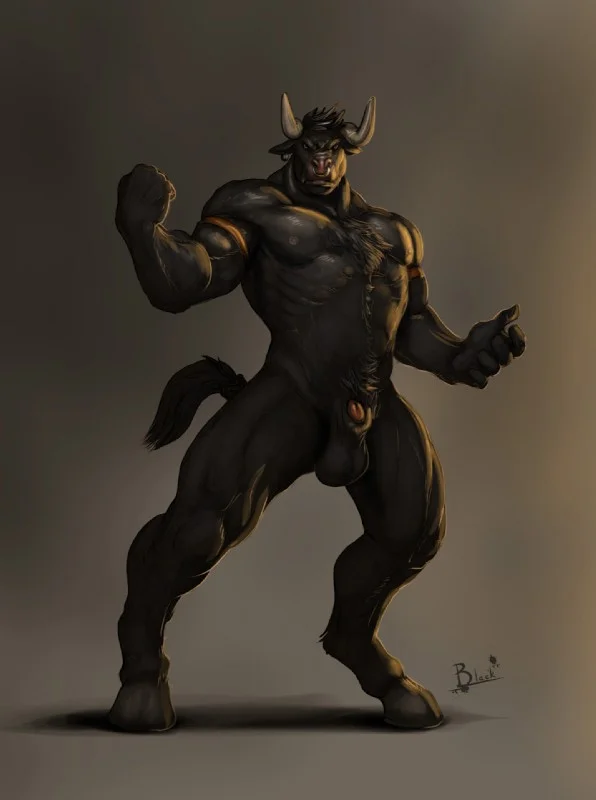
Hello. I'm Wrecksler, also going by the name ShadeAnimator. I've been in ERP community since around 2010, and have been developing tools and systems for roleplayers since around 2013. Most notable are GMHelper, Rendezvous Fight and UFL, as well as Fallout4 F4AK - I was part of the team that cracked and simplified and developed tools an documentation about creating custom animations for Fallout 4.
Why "Mini"?
Because it is a spin-off project from UFL 2.0. While developing UFL 2.0 I realized that it will take a lot more time and effort to develop it, and it might even end up being too complex for majority of people. So I decided to take the core idea behind UFL 2.0 and make a project out of it. I called it UFL Mini, because it's a mini version of what UFL 2.0 was\is meant to be.
I don't yet know whether I will grow UFL Mini to become UFL 2.0 over time, or whether UFL 2.0 will be a separate project existing alongside UFL Mini. I guess we'll see!
UFL Mini - Rules & Guide
Quick Start
- Sign Up using only Username and Password. Your username will be your character's name. You can create multiple profiles for multiple characters.
- Adjust your character attributes (only a few), select pronouns and gender (helps AI narration avoid awkward misgendering), and optionally upload avatar images and character reference images (up to 3).
- Choose which moves your character can perform from a list of Default and Community moves.
- Earn gold and items - fight PvE enemies to earn XP, gold, and loot. Buy or craft gear from the Shop or Market.
- Create or join a room from the dashboard. You can fight other players (PvP) or challenge AI-controlled enemies (PvE).
- Select your role: participant fights; observer watches, chats and comments.
- As participant, click Join Room, then Ready. When all participants are ready, the match starts.
Core Rules
Stats
Each character has the following stats
- HP (Health Points) - Your total health.
- AC (Armor Class) - 0-20, default 10. Attacks must meet or exceed AC to hit.
- DMG (Damage Modifier) - Flat bonus added to some damage rolls (e.g.,
1d6 + DMG).
- AP (Action Points) - Energy to perform moves each turn. Default 3 AP per turn.
Ranked vs Unranked Stats
You have both unranked stats and ranked stats.
Unranked stats are freely editable stat set for casual roleplay fights. There are no caps or restrictions - you can set them to whatever values you like. These stats are used in unranked (public casual) matches.
Ranked stats are a separate stat set used in competitive (ranked) fights. They start at baseline values and are upgraded using stat points earned through leveling up. This is your progression path - similar to an MMORPG, where you earn the right to improve your character.
Combat Flow
Most of this is handled internally by the game engine, but here are the core rules that it follows.
- Initiative - At match start each participant rolls a d20. Highest to lowest defines turn order; ties break by username.
- Attack Resolution - An attack hits on
1d20 ≥ target AC.
- Critical Hit - Natural 20; damage is doubled.
- Status
- Alive: HP > 0.
- Unconscious: HP ≤ 0.
- Dead: HP ≤ −(Max HP ÷ 2). (e.g., if Max HP is 20, you die at −10 HP).
- Turns & AP - On your turn, use moves while you have AP > 0. When AP is spent, your turn ends - click End Turn to pass to the next fighter.
- Conditions - Some moves apply status effects (DoT, Stun, Stat debuffs/buffs). These expire after a set number of turns.
Match Types
- Unranked - Casual fights with no XP or ELO consequences.
- Ranked - Competitive fights. Win to earn XP, gold, and ELO rating. Loss still earns partial rewards.
- PvE - Fight AI-controlled enemies. Win to earn XP, gold, and item drops. Enemies have difficulty levels (easy, medium, hard, boss) affecting rewards.
Disqualification & Victory
- DQ Rule - Per-room setting:
KO (lose on unconscious or dead) or Death (lose only on dead).
- Victory - Currently: last fighter remaining who is not disqualified.
Per-Room State
In-match stats (current HP/AP, move uses, status, conditions) are instanced per room, so you can fight in multiple rooms independently.
Moves
- Definition: Name, Damage (e.g.,
1d6, 1d12, 1d20 + DMG), AP Cost, optional Uses per Match, Description.
- Global Library: All user-created moves are available for others to select.
- Selection: Each fighter builds a personal Move Set from the library.
Important: New fighters start with no moves selected. Go to Profile → Move Set and choose your moves, otherwise you cannot act in combat.
Creating Moves
Ability to creat your own moves tailored to your character's style is one of the key sandbox features of UFL. By creating different moves both through adjusting it's stats and using appropriate (or inappropriate! 😋) titles and description you can shift the entire dynamics and tone of a fight.
You can create purely physical wrestling moves like a Piledriver or Tombstone, you can create magical moves like a Fireball that burns your opponent over time (using DoT) or Ice Shard that freezes (Stun) your opponent. You can create sexual moves like a Kiss or a Tease that may lower your opponent's ability to hit a target, as if they are distracted, and more.
To add a new move to the global library, use the Moves page. Each move consists of:
- Name - A short, memorable name for the move.
- Damage - A dice expression (e.g.,
1d6, 1d8 + DMG, 2d6+3). Use HEAL prefix for healing moves (e.g., HEAL2d4).
- AP Cost - Action points spent to use the move. Default is 1.
- Uses per Match - Optional limit on how many times the move can be used in a single fight. Leave blank for unlimited.
- Requirement - Finisher moves require a target state before use:
below_25_pct (target below 25% HP) or unconscious. They can also have a Failure Penalty (e.g., backfire damage).
- Heal - Optional healing expression for support moves (e.g.,
2d4).
- Cure Effects - Comma-separated list of effect types to remove from self (e.g.,
dot,stun).
- Description - Plain text description shown to players.
- Is Public - Whether other players can use your move in their movesets.
Move Effects
When creating a move, you can attach one or more Effects - special effects that are applied to the target (or yourself) when the move hits:
- Archetype - The type of effect:
dot - Damage over Time. Deals damage each turn at the start of the affected fighter's turn.stun - Target loses their next turn.stat_debuff - Reduces target's chosen stat (ac, dmg, hp, ap) for the duration.stat_buff - Increases your own stat for the duration.accuracy_debuff - Reduces target's chance to hit (lowers their d20 roll).accuracy_buff - Increases your own chance to hit (raises your d20 total). Use to crack high-AC opponents.loaded_dice - Warps the probability of attack rolls. Positive magnitude loads rolls high (more hits & crits); negative loads them low. Applies to the roller's next attack only — it is consumed by that swing (hit or miss) and multiple loaded dice do not stack; only the strongest applies. Works on self (load your own rolls high) or enemy (load theirs low).
- Magnitude - Effect strength (e.g.,
2d6 for DoT damage, or 2 for stat penalties).
- Duration - Number of turns the effect lasts.
- Target - Who receives the effect:
enemy or self.
AC note: AC starts at 8 and caps at 14 from stat points. User-crafted armor adds up to +1 AC each, and move AC buffs (e.g. "Guard Up") are capped at +2 combined — so a normal build tops out near AC 19. Higher AC (up to a hard cap of 22) is only reachable via rare legendary gear.
Glossary of Terms & Abbreviations
- AP - Action Points. Energy to perform moves each turn. Default 3 AP per turn.
- AC - Armor Class. Starts at 8, caps at 14 from stat points. Attacks must meet or exceed AC to hit.
- DMG - Damage Modifier. Flat bonus added to damage rolls.
- HP - Health Points. Your total health.
- Power Score - A calculated value representing the overall strength of a move. Movesets have a budget based on your level.
- KO - Knockout. When HP drops to 0 or below.
- DQ Rule - Disqualification rule. Determines whether KO ("unconscious + dead") or Death ("dead only") triggers loss.
- Overwhelm - A bonus triggered when a target has 3+ unique debuff types (-1 to all stats for 1 turn).
- Shatter - A +50% damage bonus when hitting a stunned target.
- Unranked Stats - Freely editable stats for casual fights. No caps, no restrictions. Used in unranked matches.
- Ranked Stats - Progression-based stats for competitive fights. All characters start at the same baseline; upgrades are purchased with earned stat points.
- DoT - Damage over Time. An effect that deals damage at the start of each turn.
- Advantage - A term that means - Roll 2 dice instead of one and pick the higher result. Also a buff effect on target's attack rolls.
- Disadvantage - A term that means - Roll 2 dice instead of one and pick the lower result. Also a debuff effect on target's attack rolls.
- Vulnerable - A debuff effect on target - everyone rolls against them with advantage.
- Shielded - A buff effect on target - everyone rolls against them with disadvantage.
Moveset Budget
Your moveset has a Power Score budget based on your level: 15 + level × 5. Each move has a power score calculated from its damage, healing, effects, and efficiency. You cannot add moves that exceed your budget.
Lobby & Match
- Roles: Participants fight; observers spectate and chat.
- Ready: Match starts automatically when all participants are ready.
- Log: The chat/log records turn changes, moves, rolls, damage, and status changes.
Have fun and welcome to the UFL underground.
Support and Benefits
UFL is a free-to-play game with no ads. We rely on community support to keep the game running. This section outlines the costs of running the project, how you can support us, and the benefits you'll receive in return.
Costs
Running UFL involves significant costs, including:
- Server Hosting: Hosting costs for our server. Undertow forum has ads, but it covers only 10% of the server cost.
- Development and Maintenance: Developing and maintaining this website takes significant amount of time.
- AI Services: Part of the AI inference is ran on our hardware, another part is run in the cloud. Both cost money - whether it's hardware and electricity or cloud AI credits.
Support Benefits
We try to make sure that the benefits are proportional to the support you provide, and we are only gating features that cost literal money on our end to run, like image generation - each image generation request costs us money. So you are paying directly for the image generation features.
Here are some of the benfits of supporting us on Patreon:
- Vouchers: Vouchers are AI credits. Right now you can use them to generate images (avatar variations and "!illustrate" command in chat). In time more features will be added that can be unlocked with vouchers.
Voucher Spending and Accumulation notes
Vouchers are handed out each month upon subscription renewal. They don't expire and will accumulate over time. When you make a donation 50% of your donation cost is converted directly to vouchers, with other 50% going to the server and development costs. I do believe this is fair.
Vouchers are consumed upon image generation attempt and are not currently refunded if the image generation fails. Given the nature of the website - be aware that if the image generation produces an NSFW image that is going to trigger a censorship filter, you will still be charged for the image generation attempt. This works this way because the cloud image providers (like nano banana, grok, etc) generate the image first, and then they check if it's NSFW. On our end we are trying to automatically prepare the ai-generation prompt to avoid NSFW images, but it's not always possible.
When generating avatar variations we rely on your character's first reference image as reference for avatar generation. If it contains extreme NSFW content the image generation may fail. You can work around that by cropping out the NSFW bits first, uploading this cropped image as your first reference image, and then generating avatar variations. You can later replace it with the full reference image again.
Some nudity, however, does seem to come through just fine, especially for non human characters. For example my own character reference image seems to work just fine, even though it technically includes nudity.
Trust & Safety
New accounts start with limited social capabilities to protect the community from spam and abuse. As you play, your trust level increases automatically.
Trust Levels
- New - Default for freshly created characters. Can fight in rooms and use basic features. Cannot vouch for others or file reports.
- Verified - Automatically earned after completing 5 fights. Can vouch for new players and file reports. Full access to social features.
- Trusted - Granted by admins to longstanding community members. Carries additional weight when vouching.
Vouching
If you are at least Verified, you can vouch for New characters from their profile page. Vouching signals that you've interacted with the player and they're legitimate. A character's vouch chain is visible to admins and helps identify alt accounts and bad actors.
Progression as Deterrent
Your character's level, items, ELO rating, and reputation represent real time investment. Banned characters lose all of this - creating a new account means starting from scratch. This is by design: the cost of being toxic should be tangible.
Character-state Avatars and how to create them.
UFL allows to upload 4 avatars per character. These are meant to be used to show the state of your character. Your avatar will change depending on your HP, showing states for alive, wounded, unconcious and dead.
If you don't have 4 avatars, the system will use the same avatar for all states.
If you want to have 4 avatars but don't know how - you can use any AI to generate variations of your avatar image. Most players would agree that this is one of the ethical ways of using AI. You can use any AI with support for image editing - Nano Banana (Google Gemini) is best, but you can use GPT, Grok, Flux Klein or Flux Kontext (at the time of writing, new models come out often). Typically, if you frame your prompt like you are creating it for a video game, they will comply. If it refuses because of ethical concerns, it's possible that you are providing it with an image that containts nudity in it. For a character avatar you typically only need the face and maybe upper body, so you can just crop the image before sending it to the AI and it will most likely comply.
Multiple characters, alt accounts, username\character name.
The system is built around the concept that 1 user = 1 character. Your user account is your character account. This is unlike many other roleplaying platforms that are designed about the clear separation between a "user" and a "character".
After thinking this through - I don't see any real benefits to going this route. It only adds unnecessary complexity into code, and in the end it does not really help the user experience. Often all of t hese things are added to make it easier to ban people for breaking the rules, but it's not impossible to just make a new one from a different email, or using a different IP through VPN or proxy. I will think about alternative methods of protection.
Terms of Use and Privacy Policy